 |
Signup | Classes | Onsites | Manuals | Software | Contact | About |  |
Home > Excel Classes > VBA Procedures
This page reviews the different VBA procedure types and the code they contain.
Want to learn more? Excel VBA classes for business & industry > and engineering & science >.
Additional Tutorial Topics:
A procedure is defined as a named group of statements that are run as a unit. A VBA procedure is defined by a beginning declaration statement of Sub, Function, or Property and an ending statement of End Sub, End Function, or End Property. Your code is placed between the start of the procedure and the end of the procedure. In a procedure, a statement is simply a complete line of code. The following code illustrates these simple concepts:
Sub ClearCell( )
Range("A1").Clear 'Statement
End Sub
A VBA procedure is tracked by its name. The name of a procedure is typed after the Sub, Function, or Property syntax. Its name may be up to 255 characters long, alphanumeric, and you can use an underscore in the name but no spaces. Try to keep your procedure names short but meaningful as in being able to look at the name and figure out what purpose it generally serves. If you create long names, you will tire of typing them.
You can have many different procedures in the same module > just make sure to name them uniquely. Try to put procedures in the same module that relate to each other in task. It helps you locate things in large programs.
VBA procedures are used to perform many tasks such as automating Excel’s environment, communicating with databases, calculating formulas, analyzing worksheet data, creating charts, inserting and deleting columns...etc.
What you want to do with Excel VBA determines the type of procedure to build. A common mistake is that all the code in a module runs at once. In reality, only one procedure runs at any given time and only when it is specifically executed by clicking a button, call statement...etc.
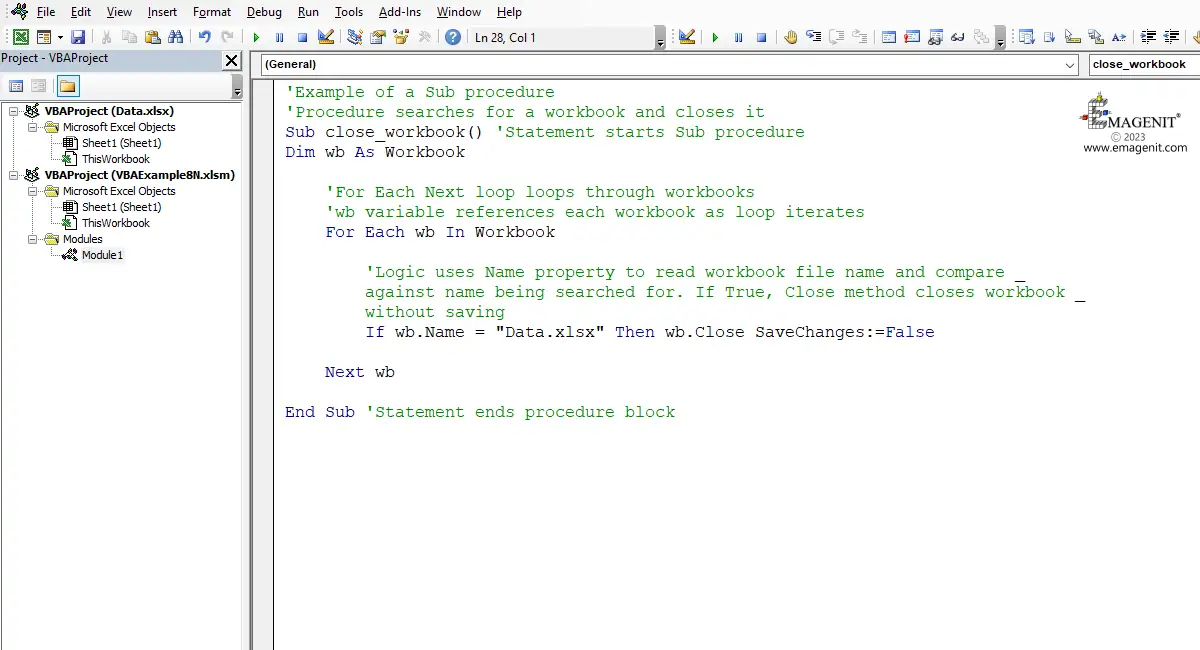
Scroll < > picture if hidden.
Each line of code in a procedure is called a statement. The block portion of a VBA procedure is constructed from three types of statements: executable, declaration and assignment statements.
The statements are placed between a procedure’s beginning and ending statements (i.e. Sub and End Sub) and perform the procedure's task; what you are trying accomplish.
Normally you do not refer to code so formally as the three types stated above. Most of the time code is identified by keywords and the word statement. For example, your going to write an IF statement or a FOR...NEXT statement. The keywords used to identify lines of code color blue when typed in a procedure.
When you type a statement in a procedure, VBA will generally handle the spacing. Just type the code and follow basic grammar rules like leaving a space between words. It helps to look at a lot code examples when first learning to type. You will learn to become a syntax reader meaning you will observe every character.
One place you really want to focus your attention when typing is in between a set of quotes in a line of code. Quotes indicate a piece of text which could be a name of an Excel element you are tracking or something you want to compare in say logic. When typing the name of an element you are trying to command, the text is not case sensitive. If comparing text in logic, the text is case sensitive. Everything is space sensitive so if you type an extra space in the quotes, the code will error when run.
The following code if typed in a module will auto space around the , > . and = signs. The cell names in the "" could be upper or lower case, it does not matter. You want to type spaces between End and IF and Sub and the name. VBA and Excel commands are not case sensitive and will take care of their caps.
Sub ColorCell( )
If Range("A1").Value > 1000 Then
Range("A2").Interior.Color = RGB(255, 0, 0)
End If
End Sub
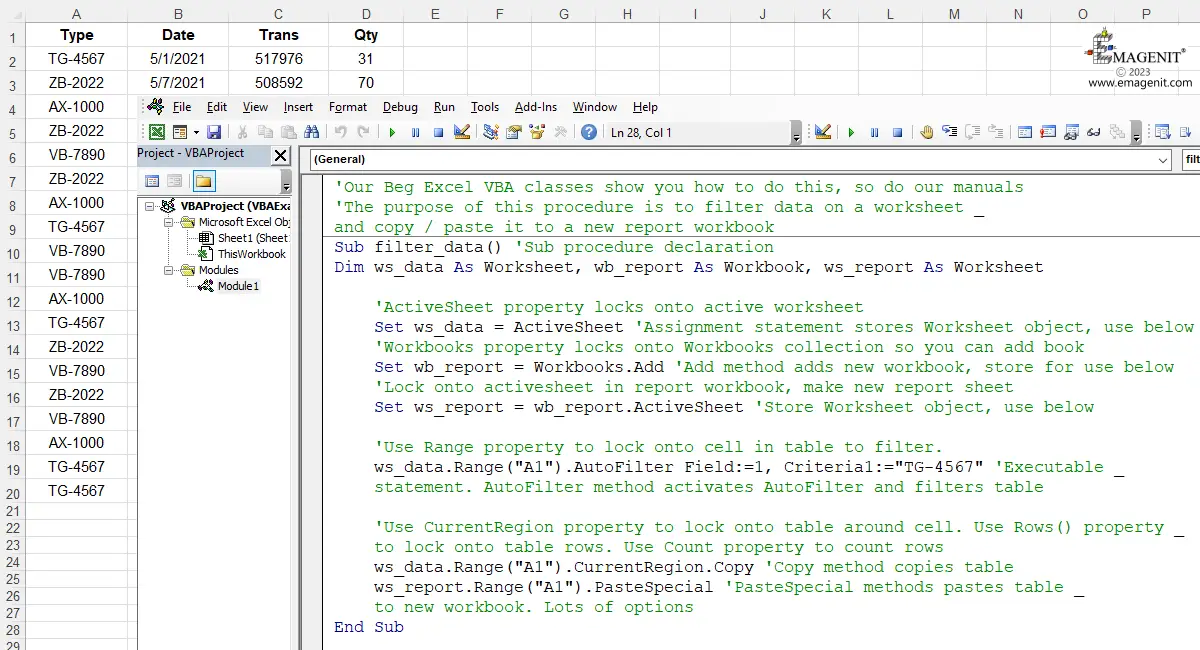
Scroll < > picture if hidden.
VBA procedures are typed and stored in a module that is viewed in the VBA Editor > as previously discussed in this tutorial.
Modules form projects and a project > is stored in a workbook file. There is only one project per workbook file unlike other programming environments. Save the workbook, save the VBA code.
When saving the workbook, make sure it is saved as a macro enabled workbook which is a .xlsm file. Saving it as a .xlsx file will strip the VBA code from it when it is closed. Distribute the workbook and the code goes with it.
Procedures are executed or run to perform their tasks. When a procedure is run >, its statements (i.e. lines) are executed in a top-down line by line fashion performing operations. Think of reading a page in a book.
Note that typing a procedure in a module does not run it. You must do this after typing it by variety of different methods. Until you run it, it is just basically text sitting in a document.
A simple way to run a Sub procedure is to type it in a Standard module, click inside the procedure boundaries with the mouse, and press the F5 function key. You do this a lot when debugging it before assigning it to a button.
Note this technique will not work if the procedure has an argument list, names between the ()'s like format_table( ByVal ws As Worksheet).
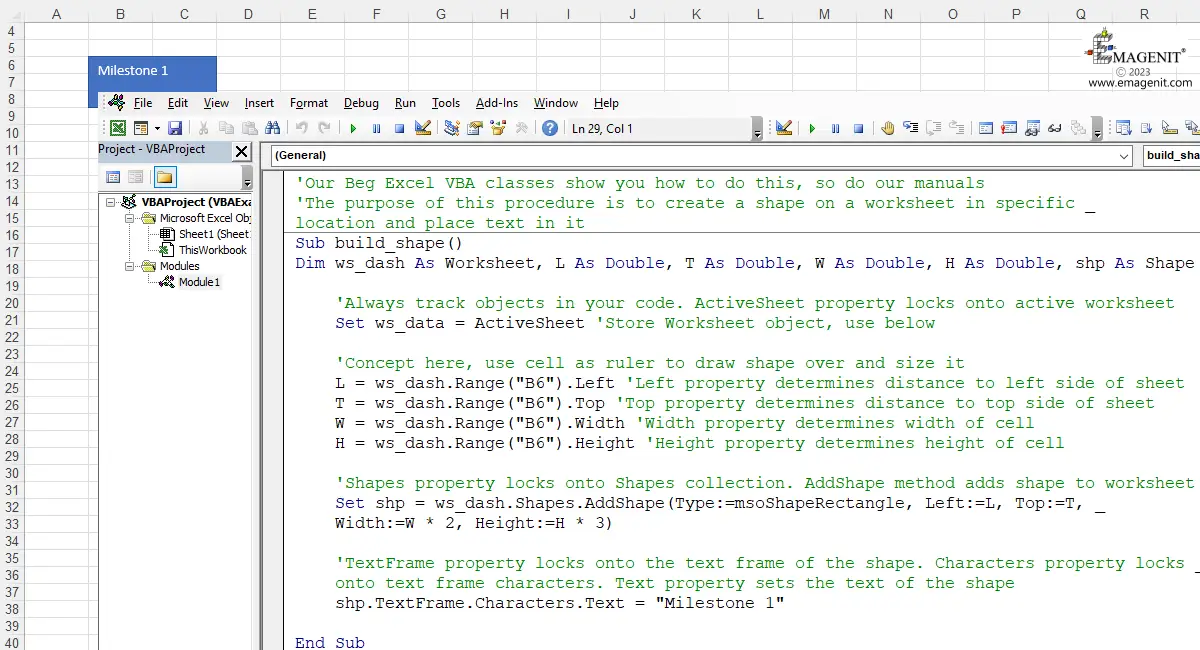
Scroll < > picture if hidden.
Excel VBA has two basic types of procedures that you can create when first starting: Sub procedures and Function procedures. A third type can also be made called a Property procedure as discussed earlier.
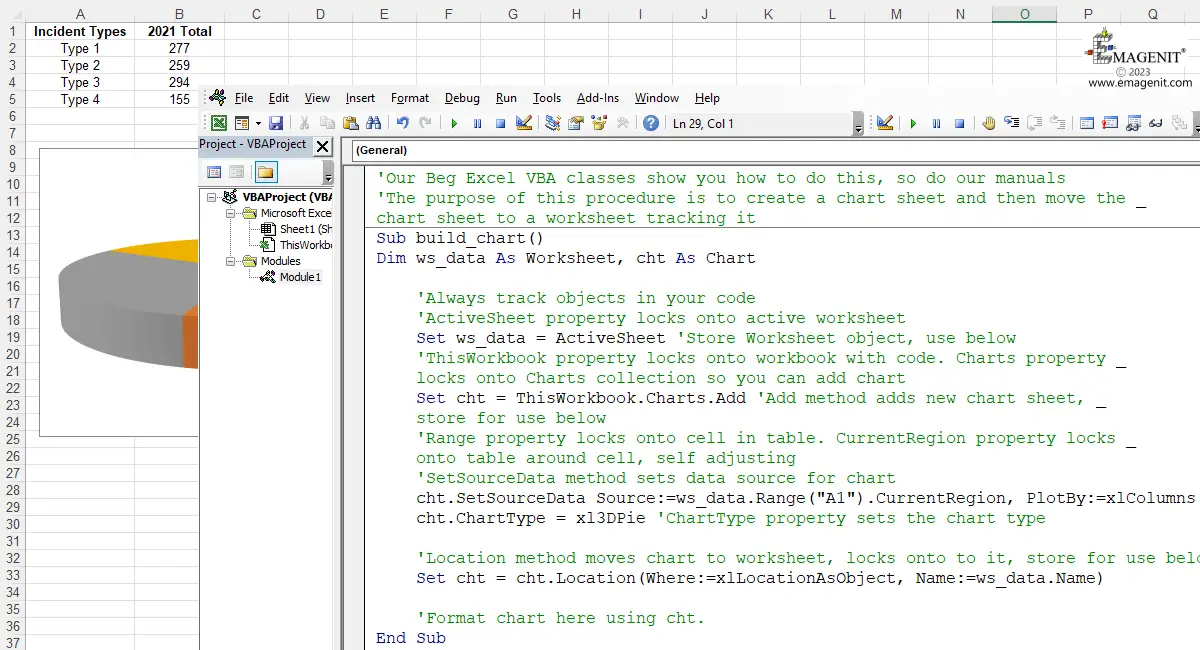
Sub procedures are written when you want to command Excel like creating a chart, analyzing data, coloring cells, copying and pasting data...etc. Sub procedures can be run via shapes, pictures, shortcut keys, events, and the F5 function key in the Editor. A simple Sub procedure is pictured below.
Scroll < > picture if hidden.
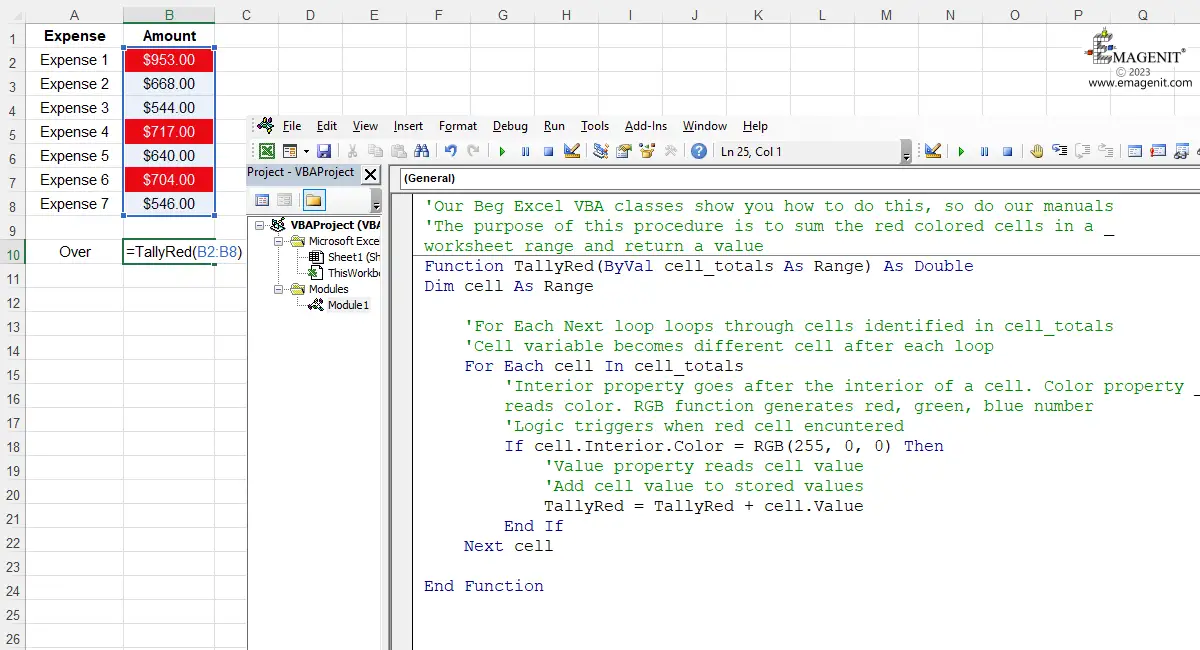
Function procedures are generally created when you want to perform some type of calculation that will be used over and over again in your computer code. The word calculation here has a broad definition meaning anything you want to generate. You can also make your own custom worksheet functions that run from a worksheet cell formula. What makes a Function procedure different from a Sub is that it returns a value through its name as Subs do not. A simple function procedure is pictured below.
Scroll < > picture if hidden.
Excel Training Services
Excel Classes - Business and Industry
- Beginning Excel for Business and Industry
- Intermediate Excel for Business and Industry
- Advanced Excel for Business and Industry
- Excel Dashboards for Business and Industry
- Beginning Excel VBA for Business and Industry
Excel Classes - Engineers / Scientists
- Microsoft Excel for Engineers for Scientists
- Excel Data Analysis for Engineers and Scientists
- Excel VBA for Engineers and Scientists
- Excel VBA Data Analysis for Engineers and Scientists
- Adv Excel VBA Design for Engineers and Scientists
- Calling Fortran DLLs from Excel VBA
Excel Software Design/Consulting
Microsoft Excel Manuals
- Microsoft Excel Solutions Handbook
- Creating Advanced Excel VBA Apps
- Excel VBA Handbook for Engineers and Scientists
- Excel VBA App Design for Engineers and Scientists
EMAGENIT Company Information
US Military
Copyright © 2002-2023
EMAGENIT All Rights Reserved