Call us at:   1.805.498.7162     1.805.558.9277

Microsoft Excel training options for business, engineering and science Innovative Microsoft Excel software design View our customer list from our over 14 years in business Phone numbers, email address and contact form Learn about EMAGENIT Home page containing upcoming Microsoft Excel classes and other EMAGENIT services Self-study Microsoft Excel manuals for business, engineering and science Microsoft Excel consulting services Microsoft Excel training schedule and prices

Home > Microsoft Excel Workshops > Beginning Excel VBA Training for Engineering and Science

Beginning Excel VBA Training

Beginning Excel VBA Training Outline for Engineers and Scientists

Learn to use Excel and VBA to build technical tools that can save you and your company time, effort and expense. Our 2-day "hands-on" Excel VBA training shows engineers and scientists the basics of using Excel and VBA. Our training shows you from an engineering & science perspective how to use VBA to command Excel, process resizing data on worksheets, fill out data forms and tables, perform calculations, create charts, create custom worksheet functions, build powerful models, build basic dashboards, use VBA to control Word and PowerPoint (report generation) and much more. Our workshop is taught by an engineer and comes with an 1800+ page manual.

Goto to the workshop signup, view different signup options
Free Workshop Repeats

Microsoft Excel Workshops -  Free RepeatsAll of our workshops come with free repeats. We believe learning is an iterative process and not just a one time event. Details

EMAGENIT Customers and Awards

At EMAGENIT, we have trained customers like:

  • Boeing, General Dynamics, BMW Design Group, Shell Energy, Northrop Grumman, Caterpillar (View More)

We have also trained organizations like NASA, The US Army, Navy, Air Force and Marines and develop custom Excel software for the likes of Caterpillar and NASA (Award). Our diverse training background and software projects ensure you get the best Excel training drawn from real world experience not academia. We show you what you actually need to succeed.

Why Not Go Online For Your Training

Why Not Go Online For Your TrainingOur live "hands-on" webinars enable us to train you and your company employees at different sites all over the country at once without having to collect them in one room. You can sign up for the webinar below. View Our Webinar Details Page


About Our Workshop


Useful Excel VBA Skills You Learn

  • Useful Excel VBA Skills You LearnWhat is VBA?

  • How to use the VBA Editor, debugging tools, projects and modules

  • A full VBA language review including variables, loops, logic, arrays and functions

  • A complete review of Excel VBA technical programming strategies, not just code but how to put it together including using logic

  • How to control key Microsoft Excel program elements using VBA

  • How to automatically create and control worksheets and workbooks

  • How to control worksheet ranges including formatting, sorting, filtering and calculations using Excel VBA

  • How engineers and scientists cans use VBA to automatically size and analyze data on a single and multiple worksheets

  • How to use VBA and worksheet functions in your code

  • How to automatically fill in data in worksheet forms and tables

  • Basic dashboard design for engineers and scientists using Excel and VBA

  • How engineers and scientists can construct their own custom worksheet functions using Excel VBA (numerical analysis discussion included if requested)

  • How to use VBA to tie into worksheet based models and their formulas

  • How to automate chart construction using Excel VBA

  • How to use the Macro Recorder to record engineering and scientific tasks in Microsoft Excel and decipher the code correctly


Who Should Take This Workshop (Prerequisites)

Select this workshop if you or your group have:

  • Never programmed

  • Just used the macro recorder

  • Not programmed in over a year

  • Programmed but have not used objects before

  • Used Microsoft Excel and know its operational capabilities and its tools

  • Built basic worksheet formulas (=A1+A2) and used worksheet functions like SUM

  • Built basic charts


Microsoft Excel Versions Taught in Workshop

  • Our workshops cover Excel versions 2000-2013 including Excel for Mac and discuss differences when necessary.


Included in Our Beginning Excel VBA Workshop

  • Free Repeats

  • 1800+ page manual filled with key Excel strategies, examples and tips

  • Hands-on training

  • Personal questions answered


Workshop Training Choices

Available:  Public Seminar, Live Online Webinar, Company Onsite, Self-Study Manual

  • Public Seminar, Live Online Webinar and Self-Study signup buttons below

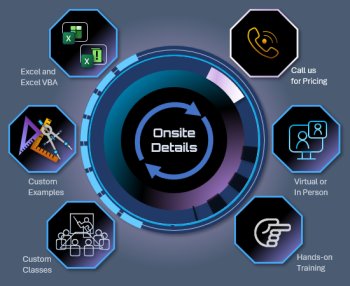
  • For company onsite information or if you have any questions, please contact us 1.805.498.7162 or 1.805.558.9277.


Beginning Microsoft Excel VBA Training Focus

Microsoft Excel and VBA (macros) can be used to construct powerful automated engineering and science tools. Visual Basic for Applications (VBA) comes standard with Microsoft Excel as well as other office products. By using Excel and VBA, engineers and scientists can develop sophisticated tools quickly with a minimum time and cost investment. VBA can be used for tasks like automating calculations, analyzing data on multiple worksheets and in multiple workbooks, automating form creation, automating chart and report generation tools, communicating with databases, constructing elaborate dashboards, modeling the list is endless. This workshop teaches you the foundation for using Excel VBA in the engineering and science disciplines.


Beginning Excel VBA Workshop Outline

In this 2-day "hands-on" workshop you will learn:

Day-1

  • A complete VBA Editor review including debugging and how to use projects, modules and procedures in VBA

  • A complete review of the VBA language including variables, data types, constants, arrays, operators, expressions, loops and logic decisions

  • Key programming strategies for constructing technical programs in Excel VBA

  • A review of key Excel objects, properties and methods and how to use them in engineering and science tools

  • Programming strategies for using logic in your code like IF and Select Case. How to build the various types of conditions they use.

  • How to use VBA to command key Microsoft Excel elements

  • How to use VBA to control worksheet cells including cell and range naming, formatting, copying and pasting and finding data boundaries

  • How to move and reorganize data on the worksheet using VBA

  • How to use worksheet functions, VBA functions and write technical expressions (formulas) in your VBA code

  • How to use Excel VBA to open, add, close and delete workbooks and worksheets

  • How to process engineering and science data on the worksheet using VBA loops and logic

Day-2

  • How to create data analysis tools that use multiple worksheets and workbooks

  • How to create and fill technical forms and tables from raw data using VBA

  • How to construct basic dashboards for technical modeling and analysis tools using VBA and Excel's built in features

  • How to create your own custom worksheet functions in VBA for modeling and analysis purposes

  • How to tie into system models and their formulas using VBA

  • How to use VBA to create worksheet formulas automatically

  • How to open, close, create and read text files

  • How to access the Windows file and folder system to open and close workbooks and text files

  • How to use the macro recorder to record Excel tasks in VBA and then decipher the code for key property and method commands

  • How to construct report generation tools using Excel VBA, Microsoft Word and Microsoft PowerPoint

  • Discussion on how to download data from databases using VBA, DAO, ADO and SQL


Signup, Pricing and Self-Study

The Public and Webinar buttons below will lead you to our training schedule page listing all possible dates, prices and signups for those training categories. If you are unsure what a webinar is click here. The Self-Study button will lead you to our manual page where you can get the manual pricing and the manual outline. The manual comes with the class.

For our public workshops, you travel to us in Thousand Oaks, CA

Our webinar (webcast) is broadcast live, is voice interactive, hands-on training

Beginning Microsoft Excel VBA Self Study for Engineers and Scientists, Note: manual supplied with workshop


Hotel and Directions Training Location


Learn about our onsite workshops Learn about our live Microsoft Excel training webcasts Close Training Areas


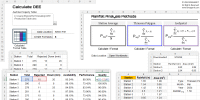
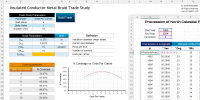
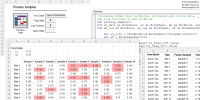
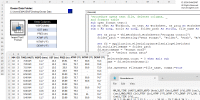
Typical Workshop Examples

Complete VBA Review

Programming Strategy Review; Complete VBA Review


Range and Cell Controll

Range and Cell Control Including Formatting, Naming Finding Data Boundaries and Using Worksheet Functions in VBA


Workbook and Worksheet Creation

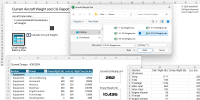
Automated Workbook / Worksheet Creation and Formatting


Form Creation and Fill

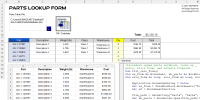
Technical Form Creation and Data Fill from Raw Data


Data Processing

Data Processing in Excel Using VBA (Single Worksheet, Multi Worksheet, Multi Workbook and Windows Folders)


Automated Chart Construction

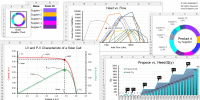
Automated Chart Construction Using VBA


Custom Worksheet Functions

How to Create Custom Worksheet Functions for Use in Data Analysis and Modeling


Basic Dashboard Design

Basic Dashboard Design Using VBA, Worksheets, Shapes, Cell Colors...etc


Downloading Data from Databases

Basic VBA Techniques for Downloading Data from Databases Like MS Access, Excel Workbooks and Text Files


Command PowerPoint and Word

How to Command Microsoft PowerPoint and Microsoft Word Using VBA


Site Map 

Copyright © 2002-2013 EMAGENIT All Rights Reserved