Microsoft Excel Training and Software Solutions for Business, Engineering and Science

Welcome to EMAGENIT. Innovative, Experience Driven, Microsoft Excel training, self study manuals and software design

Call us at:   1.805.498.7162     1.805.558.9277--

Learn about how we can help your company or yourself achieve your Microsoft Excel training or self-study goals Visit our free Microsoft Excel and Microsoft Excel VBA resource center Learn how we can help save your company money with our innovative software solutions Visit out VBA code center for code that can save your company money Learn about our Excel Add-In software that can save your company time and money View our customer list from our 12 years in business Phone numbers, request form and email address Learn about EMAGENIT View our training schedule for Microsoft Excel and Microsoft Excel VBA

NASA Award for Microsoft Excel Design

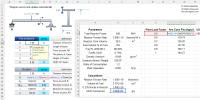
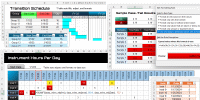
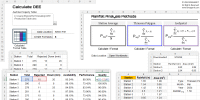
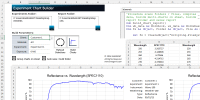
EMAGENIT received an award from NASA  for its software design in Microsoft Excel and VBA for the Mars Rover. We provide training for customers like AMGEN and General Dynamics. Read below to learn more about our training. Click here for our software design.

Microsoft Excel Business Training Options

General Excel Training

VBA (Macros)

Self-Study Manuals

Public, Onsite, Webinar Public, Onsite, Webinar Download & Pricing
1

Microsoft Excel Engineering & Science Training Options

General Excel Training

VBA (Macros)

Self-Study Manuals

Public, Onsite, Webinar Public, Onsite, Webinar Download & Pricing
1

Other EMAGENIT Options

Consulting

Software Design

Microsoft Excel Add-Ins

Excel Consulting

Excel Software Design

Microsoft Excel Add-Ins

Our Complete Training Schedule

For all of our public training dates, please visit our public signup page.

Upcoming Microsoft Excel Business Training Events

Beginning Excel - Public Only 6/4
Intermediate Excel - Public or Simulcast Webinar 6/5
Advanced Excel - Public or Simulcast Webinar 6/6
Beginning VBA (Macros) Business - Public or Simulcast Webinar 6/25-6/26
Advanced VBA (Macros) Business - Public or Simulcast Webinar 6/27-6/29

Upcoming Microsoft Excel Engineering & Science Training Events

Microsoft Excel for Engineers and Scientists - Public or Webinar

6/8

Beginning VBA (Macros) Engineering & Science   - Public or Simulcast Webinar

7/16-7/17
Advanced VBA (Macros) Engineering & Science - Public or Simulcast Webinar 7/18-7/20

Training Details

  • "Hands-On" training
  • Our training services above cover Excel versions 2000-2010

  • 1800 + page manual included with our workshops

  • Repeat the workshop you enroll in as many times as you want, details

  • To learn more about how we conduct our webinar/webcasts click here

The workshops listed below present a more detailed overview of our public and webinar workshops listed above.

Microsoft Excel Training for Business

Beginning Microsoft Excel Training

Intermediate Microsoft Excel Training

Advanced Microsoft Excel Training

Learn the Basics

Power Formulas (VLOOKUP) and Data Processing

Integrating Data, Advanced Formulas, Dashboards

*Outline/Enroll button below

Duration: 1-day

Class Type: Public

Included: Excel Aided Business 1800+ pg manual

Beginning Excel Training Focus

Our "hands-on" beginning Excel training teaches you not only basics of Microsoft Excel but the thinking and mechanics of how to apply it to your everyday problems. In all of our workshops, we evaluate our clienteles' knowledge level, their problems and adjust our curriculum to their specific needs.

For a complete workshop outline, click the Workshop Outline button below. Dates, times and pricing on enrollment page. View enrollment page now. Repeat this workshop for free as many times as you want. View offer details. Military and government discounts available, call us for details.

What You Learn at a Glance

  • Basic data entry

  • Number formatting

  • Basic formula construction

  • How to use SUM, Max and Min

  • Copying and pasting

  • Sorting and filtering data

  • Basic worksheet formatting like bolding, aligning, row/column adjustments

.


*Outline/Enroll button below

Duration: 1-day

Class Type: Public and Webcast

Included: Excel Aided Business 1800+ pg manual

Intermediate Excel Training Focus

Our "hands-on" intermediate Excel training focuses on useful formula design for data processing and modeling, using Excel's built-in range features like Data Validation, useful worksheet functions like VLookup and applying Excel's built-in data processing tools and worksheet functions to analyze and clean text files and worksheet tables. We teach you how to develop analysis and data processing problems on the worksheet then how to determine the proper Excel tools to create a unique solution. In all of our workshops, we evaluate our clienteles' knowledge level, their problems and adjust our curriculum to their specific needs.

For a complete workshop outline, click the Workshop Outline button below. Dates, times and pricing on enrollment page.  View enrollment page now. Repeat this workshop for free as many times as you want. View offer details. Military and government discounts available, call us for details.

What You Learn at a Glance

  • Filtering data using Auto Filter and  Advanced Filter

  • Working with text files using Text Wizard and Text to Columns

  • Cleaning and restoring text in files using the Left, Right, Mid, Substitute, Clean and Trim worksheet functions

  • Using Data Validation and Conditional Formatting

  • Perform table lookups using VLookup and HLookup, Match, Index and Indirect

  • Build summary/pricing worksheets

  • Build pricing sheets that can toggle between pricing tables

  • Build array formulas using VLookup, HLookup, CountIf, Match and SumIf...etc

  • Use logic in formulas (IF, And, Or)

  • Name cells and ranges

  • Create dynamic ranges in formulas that adjust to data

  • Link Excel to Word and PowerPoint for reports

  • Build basic pivot tables

*Outline/Enroll button below

Duration: 1-day

Class Type: Public and Webcast

Included: Excel Aided Business 1800+ pg manual

Advanced Excel Training Focus

Our "hands-on" advanced Excel training focuses on creating sophisticated Excel solutions using advanced formulas, dashboards, database queries, pivot tables, charts and integrating Excel with MS Word and MS PowerPoint. We teach you how to develop these advanced solutions on the worksheet then how to assemble the proper Excel tools in ways you have never thought of before. It also provides an introduction to macros (VBA). In the workshop, we teach our clients how to develop a complete Excel strategy for a complex problem. In all of our workshops, we evaluate our clienteles' knowledge level, their problems and adjust our curriculum to their specific needs.

For a complete workshop outline, click the Workshop Outline button below. Dates, times and pricing on enrollment page.  View enrollment page now. Repeat this workshop for free as many times as you want. View offer details. Military and government discounts available, call us for details.

What You Learn at a Glance

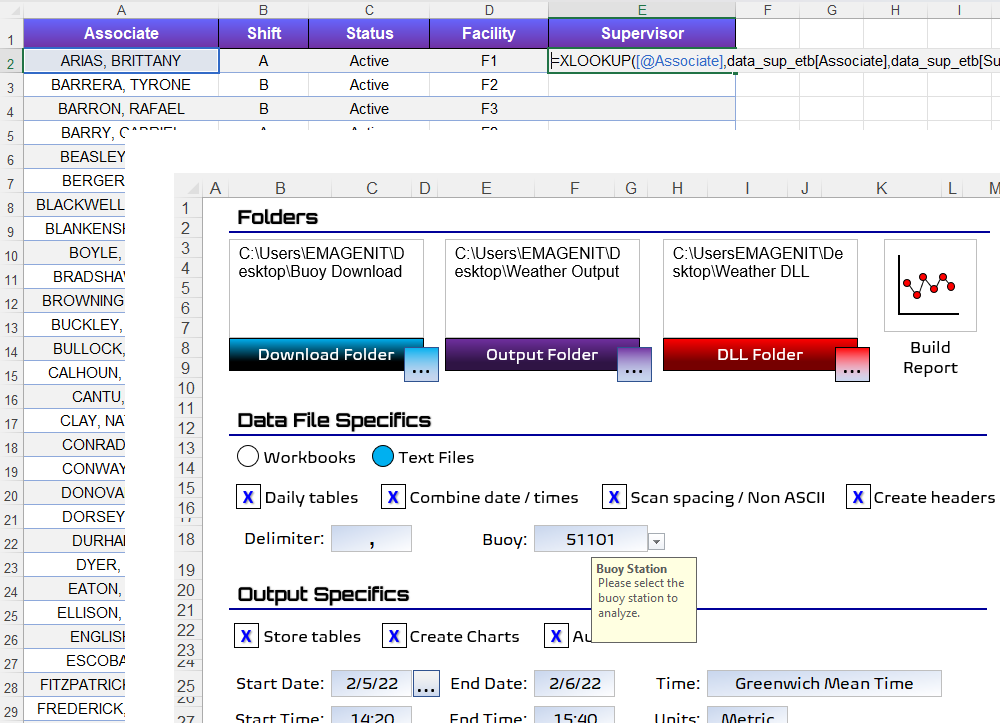
  • Building forms using ActiveX controls

  • Advanced formula construction

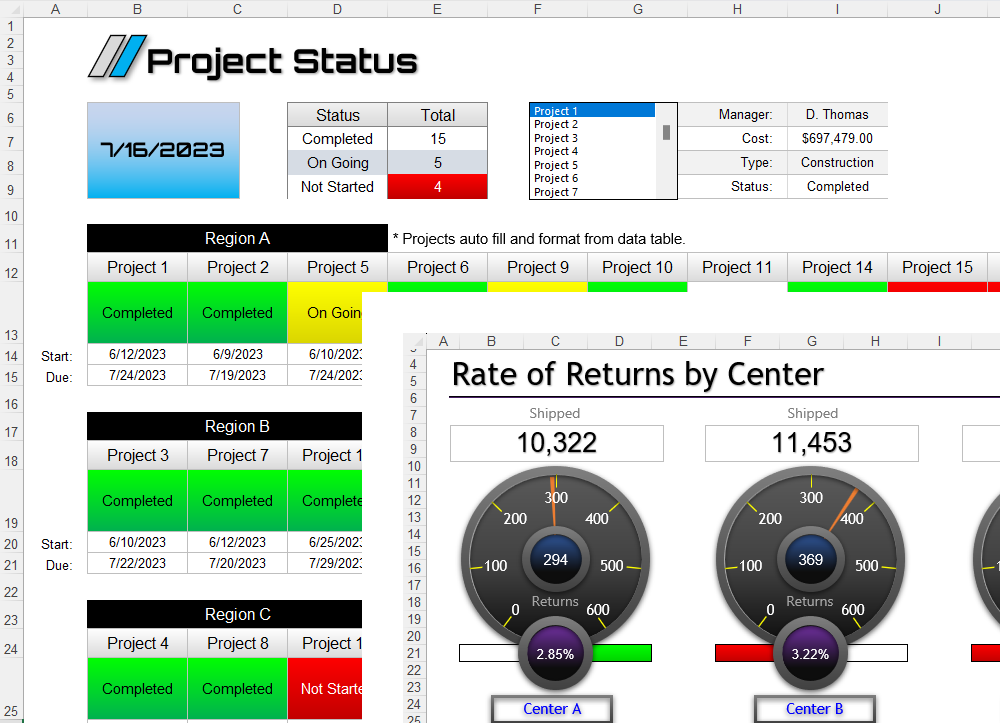
  • Building dashboards using array formulas, charts and drawing shapes

  • Querying databases

  • Advanced data filtering

  • Advance pivot table construction

  • Linking Excel with other programs like Word

  • Macro recording


Microsoft Excel VBA (Macros) Training for Business

Beginning Microsoft Excel VBA Training (Excel Macros)

Advanced Microsoft Excel VBA Training (Excel Macros)


VBA Basics, Basic Dashboards, Chart Automation, Data Processing

VBA, Advanced Dashboards, Databases, Process Multi-Files, Report Generation

*Outline/Enroll button below

Duration: 2-days

Class Type: Public and Webcast

Included: Excel Aided Business 1800+ pg manual

Beginning Excel VBA Training Focus

Microsoft Visual Basic for Applications (VBA, macros) can be used in conjunction with Microsoft Excel to construct automated business tools. VBA, a general purpose programming language, comes standard with Excel or Office. Using Microsoft Visual Basic with Excel, powerful business analysis tools can be developed quickly and with minimum cost. VBA can be used for business tasks like report generation, creating dashboards, communicating with business databases, analyzing business data, reconciling data, automating worksheet construction, business model calculations, creating charts, the list is endless. This workshop covers the fundamentals of using VBA programming and as well as how to apply it in real world situations.

For a complete workshop outline, click the Workshop Outline button below. Dates, times and pricing on enrollment page.  View enrollment page now. Repeat this workshop for free as many times as you want. View offer details. Military and government discounts available, call us for details.

What You Learn at a Glance

  • What is VBA?

  • How to use the Visual Basic (VBA) Editor and its debugging tools

  • Complete review of the VBA language (Subs, Functions, variables, arrays, loops, logic...etc)

  • How to command Microsoft Excel using VBA. Also discussed is how control Word and PowerPoint

  • How to use Microsoft Excel VBA to analyze data on single and multi worksheets

  • How to use Excel VBA to perform calculations on data

  • How to create summary sheets using VBA

  • How to create basic dashboards in Microsoft Excel using VBA

  • How to create and format single and multiple charts using VBA

  • Using VBA to create report generation tools in Microsoft Word and Microsoft PowerPoint using Excel VBA

  • How to use Excel VBA to build your own custom worksheet functions

  • How to use the Visual Basic Macro Recorder and interpret its recordings

  • How to download data from the web using VBA

  • How to automate the data analysis tool pack add-in using VBA


*Outline/Enroll button below

Duration: 3-days

Class Type: Public and Webcast

Included: Excel Aided Business 1800+ pg manual

Advanced Excel VBA Training Focus

The capability exists within Microsoft Excel and VBA to construct complex dashboard driven analysis and data processing business tools. These business tools can go far beyond simple macros becoming actual applications. Excel has a vast array of automated features like graphics, ActiveX controls, worksheets, userforms and cell ranges that when combined together allow these dashboard driven programs to be created. When you tie other programs and computer languages to Excel through VBA like Word, PowerPoint, Access, SQL Server, Lotus Notes, C and VB .Net, Excel VBA can tap into these environments obtaining the functionality it does not have. This workshop focuses on using all of these elements to construct sophisticated data processing and analysis programs in Microsoft Excel.

For a complete workshop outline, click the Workshop Outline button below. Dates, times and pricing on enrollment page.  View enrollment page now. Repeat this workshop for free as many times as you want. View offer details. Military and government discounts available, call us for details.

What You Learn at a Glance

  • What is VBA?

  • An advanced review of the Excel VBA language

  • Advanced VBA data processing techniques for multi worksheets and multi workbooks

  • Advanced summary worksheet construction in Excel using Excel VBA

  • Advanced techniques for scanning Windows folders for workbooks and then opening them using VBA

  • How to read text files using VBA.

  • Advanced VBA programming techniques for creating multiple charts from multiple data sheets

  • How to create advanced business user interfaces on worksheets using ActiveX controls, VBA and graphics

  • Advanced excel dashboard construction

  • How to create and use userforms in VBA (wizards)

  • How to create event driven programs using VBA

  • Advanced VBA error protection techniques

  • How to create custom toolbars and menus to run your VBA code

  • How to communicate with databases using DAO and ADO in VBA and how to download data from the web using VBA

  • Advanced VBA techniques for communicating with other languages and programs


Microsoft Excel Training for Engineers and Scientists

Microsoft Excel for Engineers and Scientists


Power Formulas, Modeling, Data Processing

*Outline/Enroll button below

Duration: 1-day

Class Type: Public and Webcast

Included: Excel Aided Engineering 1800+ pg manual

Microsoft Excel Training Focus

This workshop focuses on useful formula design in the areas of data processing, analysis and modeling. It discusses formula basics along with advanced array formula design that help engineers and scientists develop sophisticated analytical tools. Also stressed are model construction techniques and the text worksheet functions that allow data to be parsed (split) and cleaned before being analyzed, a huge problem in data processing. In addition to formula construction, how to create your own custom worksheet functions in VBA is also discussed. How to construct interfaces using ActiveX, data validation and conditional formatting is also covered in the workshop. Rounding out the discussion is how to build reports in Excel using pivot tables and linking Excel with Word and PowerPoint.

For a complete workshop outline, click the Workshop Outline button below. Dates, times and pricing on enrollment page.  View enrollment page now. Repeat this workshop for free as many times as you want. View offer details. Military and government discounts available, call us for details.


Public and Webcast Microsoft Excel VBA Training for Engineers and Scientists (Macros)

Beginning Microsoft Excel VBA Training (Excel Macros)

Advanced Microsoft Excel VBA Training (Excel Macros)


VBA Basics, Basic Dashboards, Chart Automation, Data Processing

VBA, Advanced Dashboards, Databases, Process Multi-Files, Report Generation

*Outline/Enroll button below

Duration: 2-day

Class Type: Public and Webcast

Included: Excel Aided Engineering 1800+ pg manual

Beginning Excel VBA Training Focus

What is VBA? This workshop covers the fundamentals of using VBA programming in the engineering and science world. From loops, variables and logic to controlling Microsoft Excel, Microsoft Word and PowerPoint to data processing. It also covers automated engineering chart construction, beginning dashboard topics, system modeling, custom worksheet functions (UDF's) and numerical analysis approaches.

For a complete workshop outline, click the Workshop Outline button below. Dates, times and pricing on enrollment page.  View enrollment page now. Repeat this workshop for free as many times as you want. View offer details. Military and government discounts available, call us for details.

*Outline/Enroll button below

Duration: 3-days

Class Type: Public and Webcast

Included: Excel Aided Engineering 1800+ pg manual

Advanced Excel VBA Training Focus

What is VBA? This workshop covers VBA topics like automated engineering chart construction for multi worksheets; advanced control techniques of other applications such as Microsoft Word and Microsoft PowerPoint; advanced engineering dash board construction using charts, pictures, ActiveX controls and drawing shapes; engineering wizard construction using userforms; advanced worksheet layout including navigation; advanced system modeling; team linking; database communication using ADO and DAO and communicating with other computer languages like FORTRAN.

For a complete workshop outline, click the Workshop Outline button below. Dates, times and pricing on enrollment page.  View enrollment page now. Repeat this workshop for free as many times as you want. View offer details. Military and government discounts available, call us for details.


Additional Pages

Microsoft Excel Classes  Microsoft Excel VBA Courses  Microsoft Excel Training  Microsoft Excel Macros  Microsoft Excel VBA Consulting  Microsoft Excel Add-Ins

Copyright © 2002-2011 EMAGENIT All Rights Reserved